Diagnosis Report Showcase
Harrier reports are designed to be read by humans first. They are initial triage reports, not final root-cause analysis. The goal is to make the first pass easy to follow: what failed, what was checked, what evidence supports it, what remains open, and what a safe remediation path would look like.
The screenshots below were captured from a production Harrier investigation of an EMR on EC2 executor out-of-memory scenario.
Report Shape
- Quick Readout
- Initial Triage Board
- Visual Check Map
- Evidence Cards
- Log Excerpts
- Inconclusive Checks
- What Harrier Will Explore Next
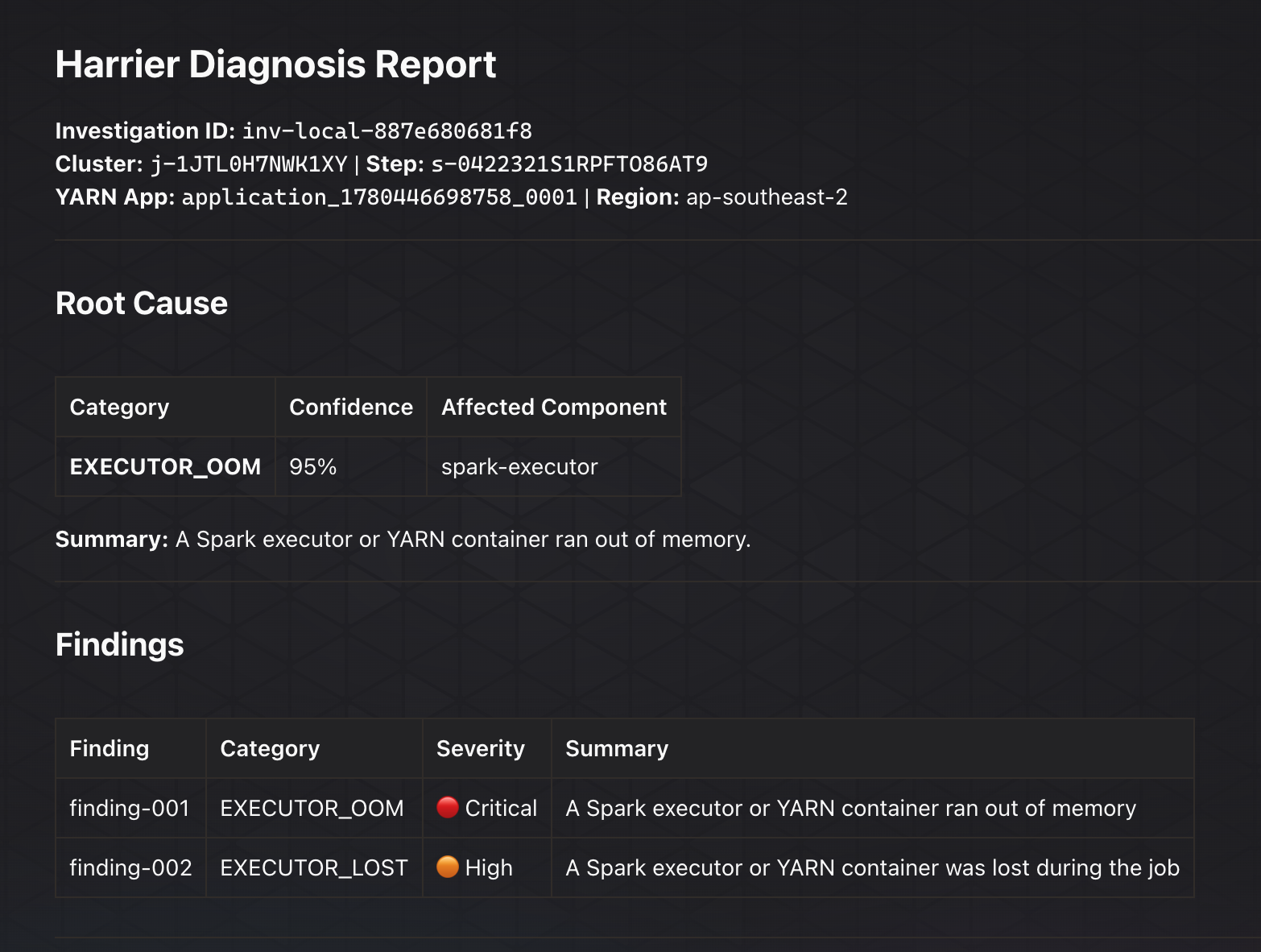
Root Cause And Findings
The report starts with the likely root cause and a compact findings table. This keeps the operator oriented before they scroll into detailed evidence.
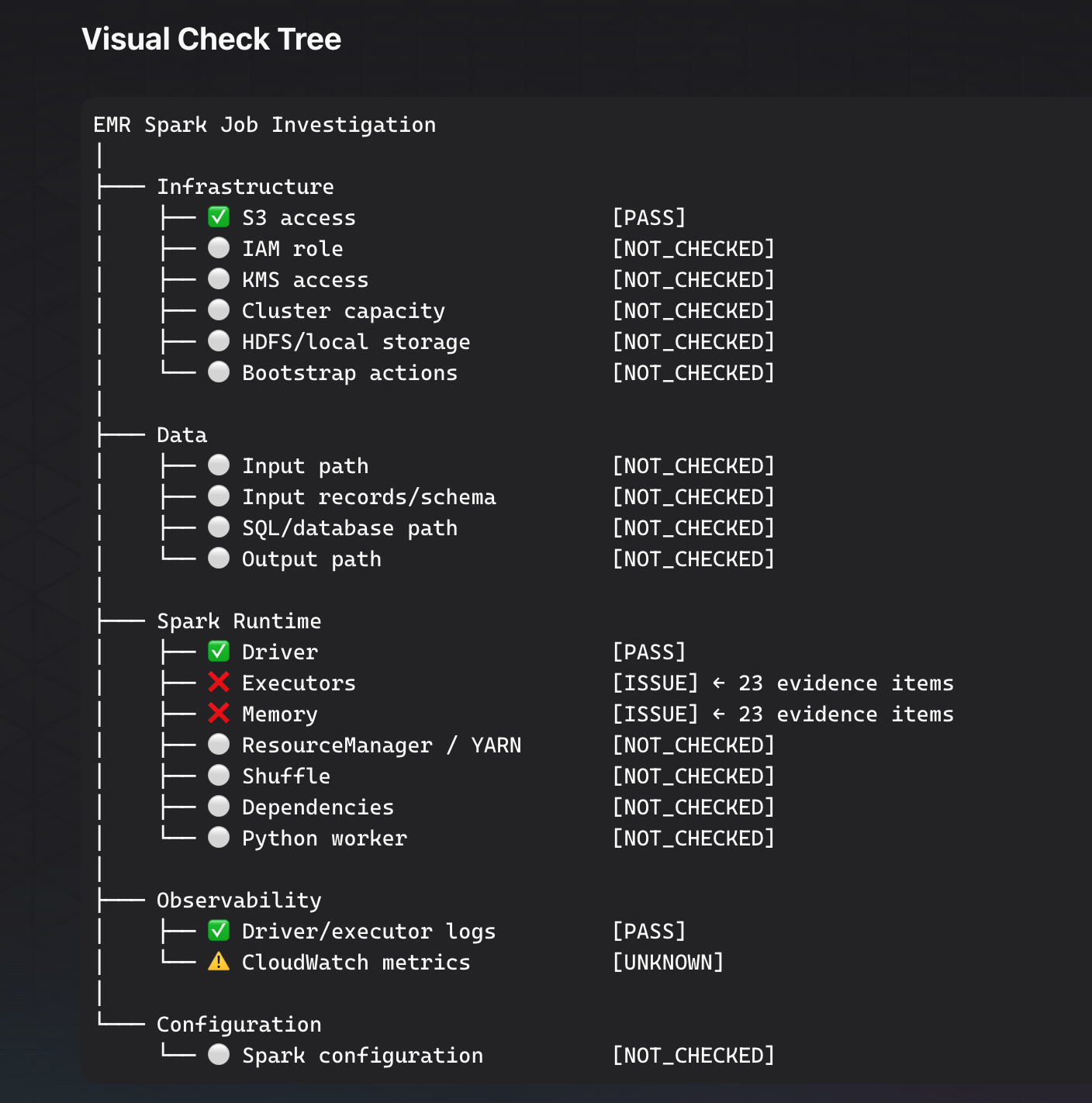
Visual Check Tree
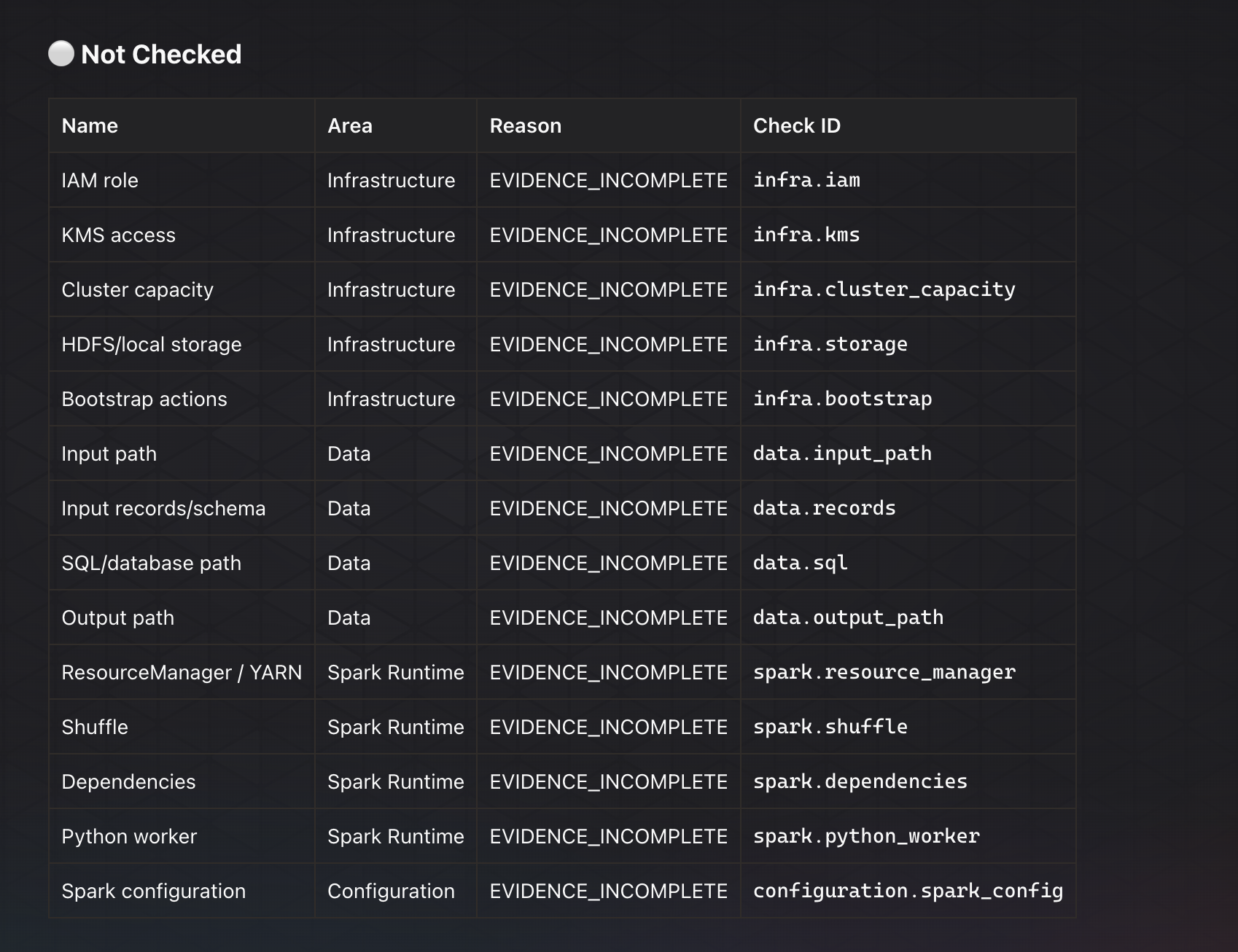
The check tree separates passed checks, issues, and checks that were not yet
performed. NOT_CHECKED means Harrier did not evaluate that path in the initial
triage pass; it is different from an inconclusive result after a completed check.
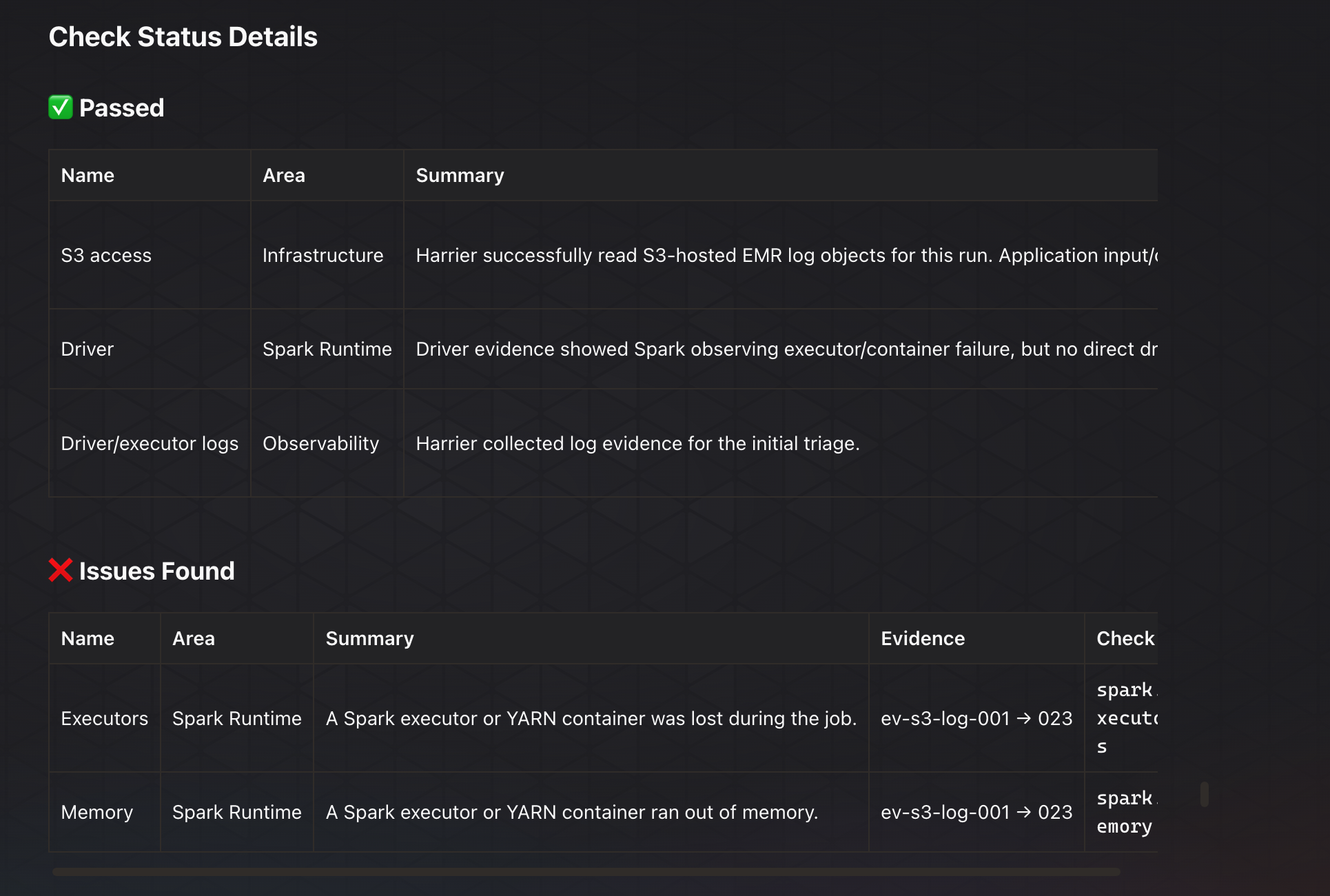
Check Status Details
The status details tables show each evaluated check as its own row. The first column is the human name, while the check ID stays available for automation and follow-up prompts.
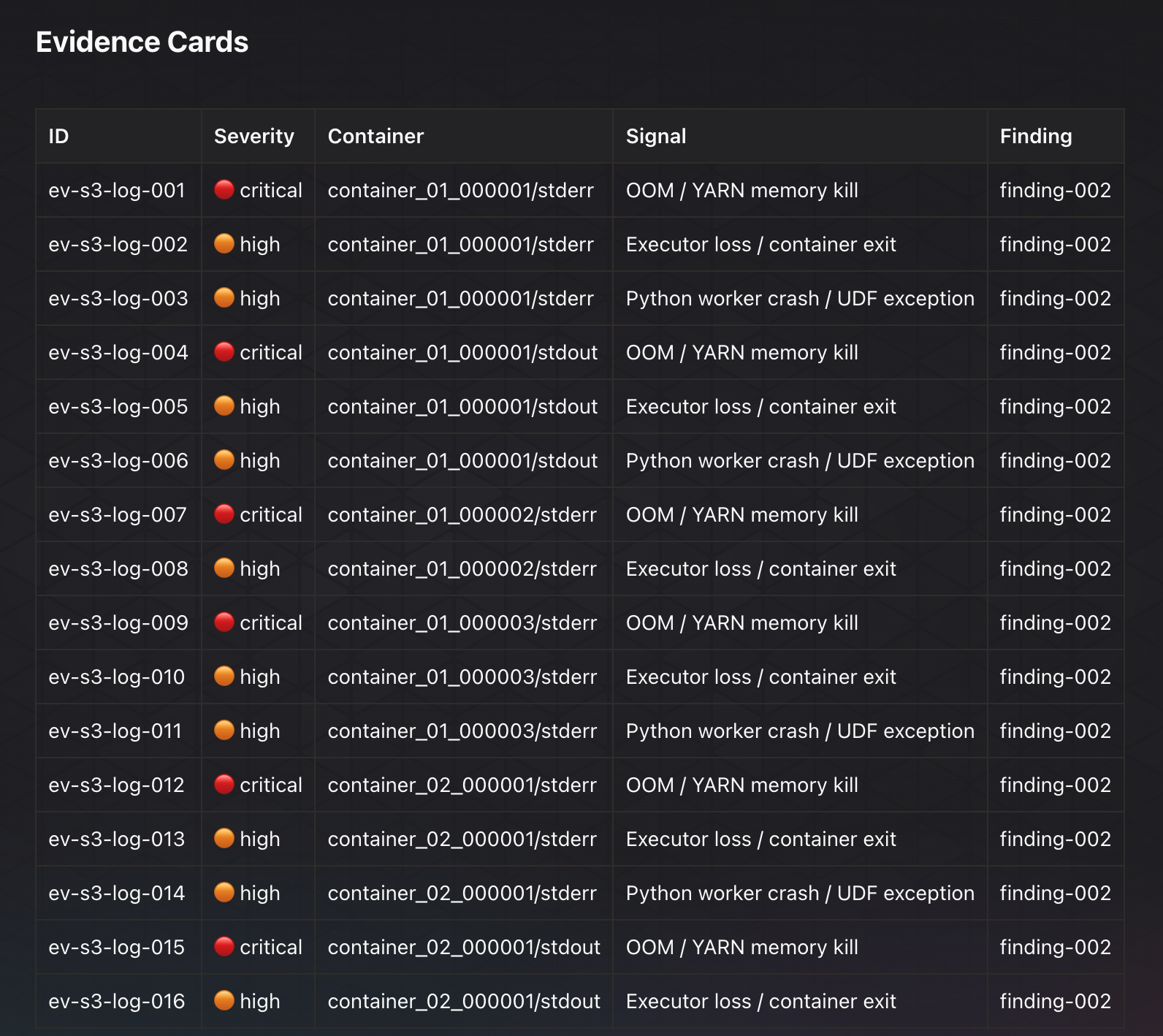
Evidence Cards
Evidence cards summarize the collected signals without forcing the operator to read raw log streams first.
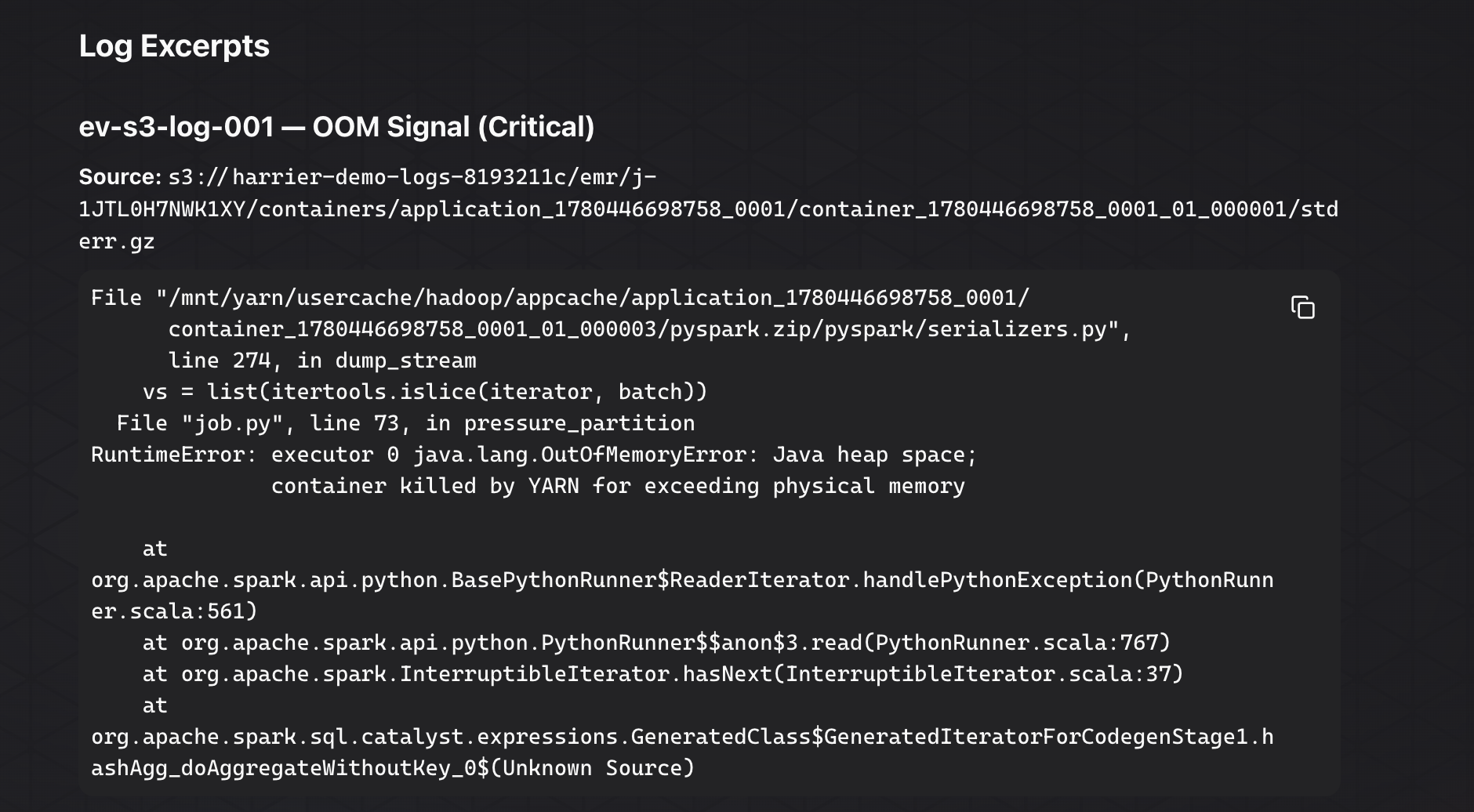
Log Excerpts
Log excerpts are visually separated from explanatory text. They preserve the important failure signal while keeping the report readable.
Follow-Up Checks
Checks requiring follow-up are grouped separately from passed checks and known issues. This makes it clear what Harrier has not validated yet.
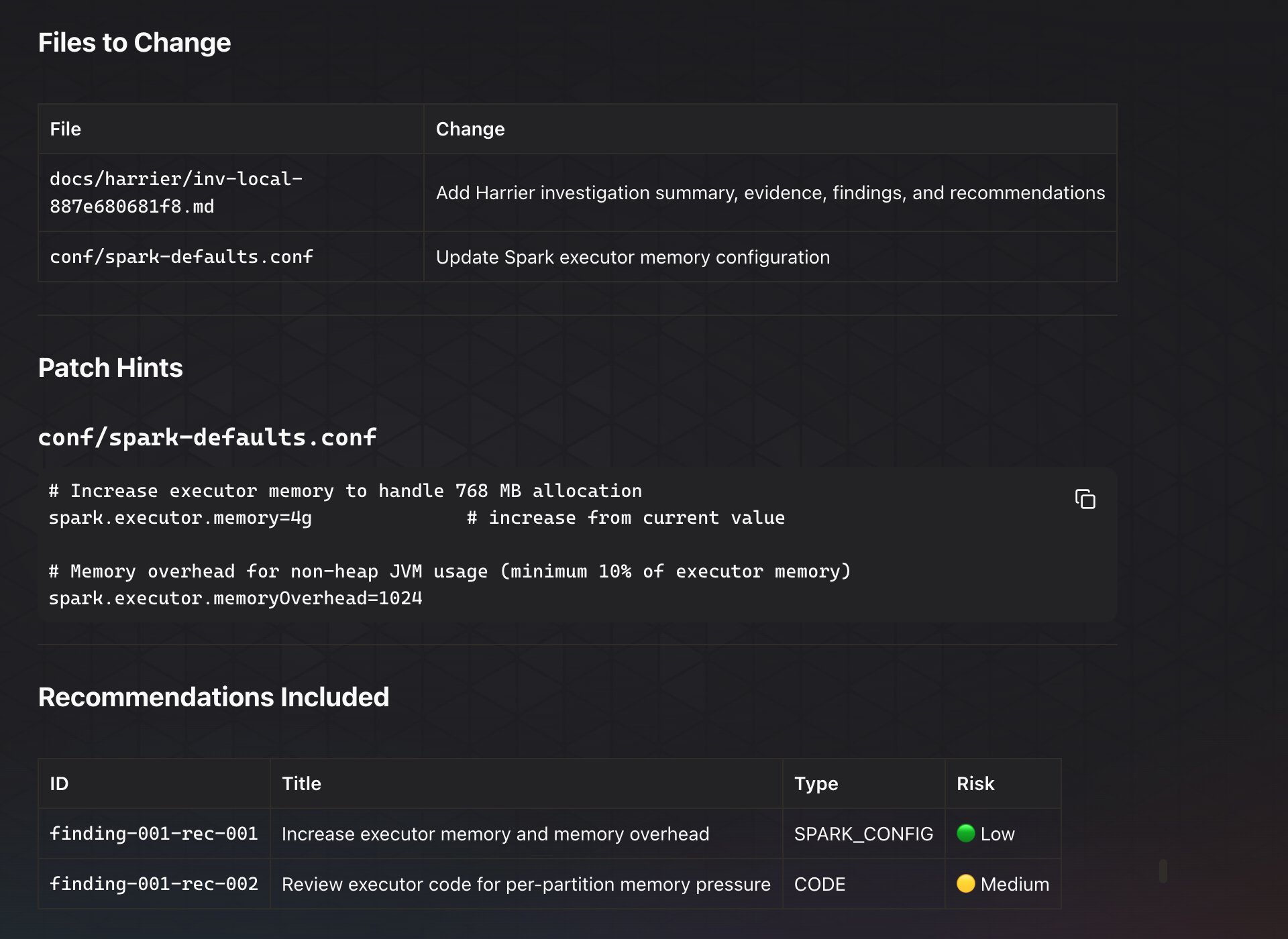
Dry-Run PR Preview
When Harrier prepares remediation, it stays dry-run first. The preview shows the files that would change, patch hints, recommendation IDs, and risk levels.
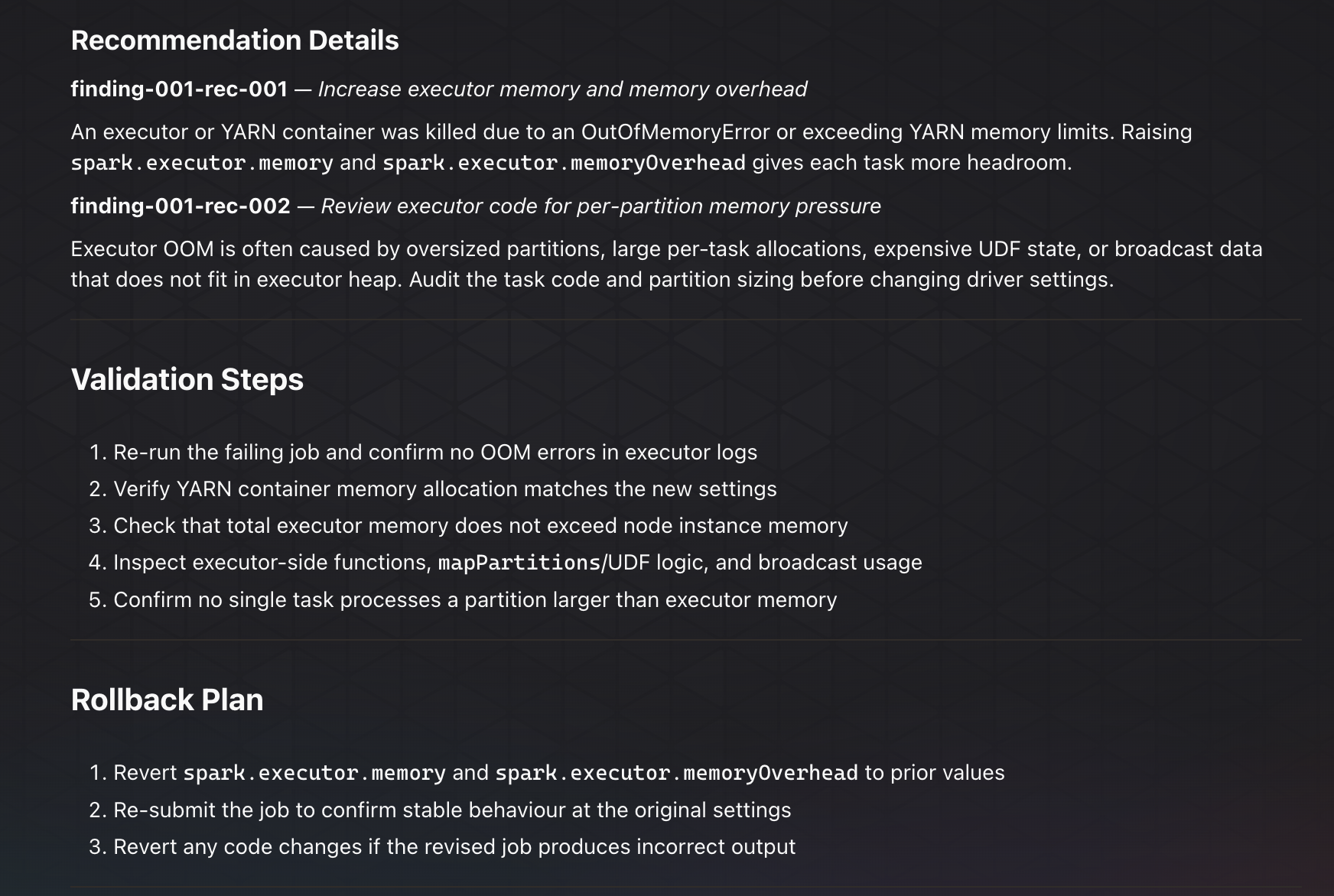
Validation And Rollback
Each recommendation includes validation steps and a rollback plan so the operator can reason about the change before asking Harrier to create a pull request.
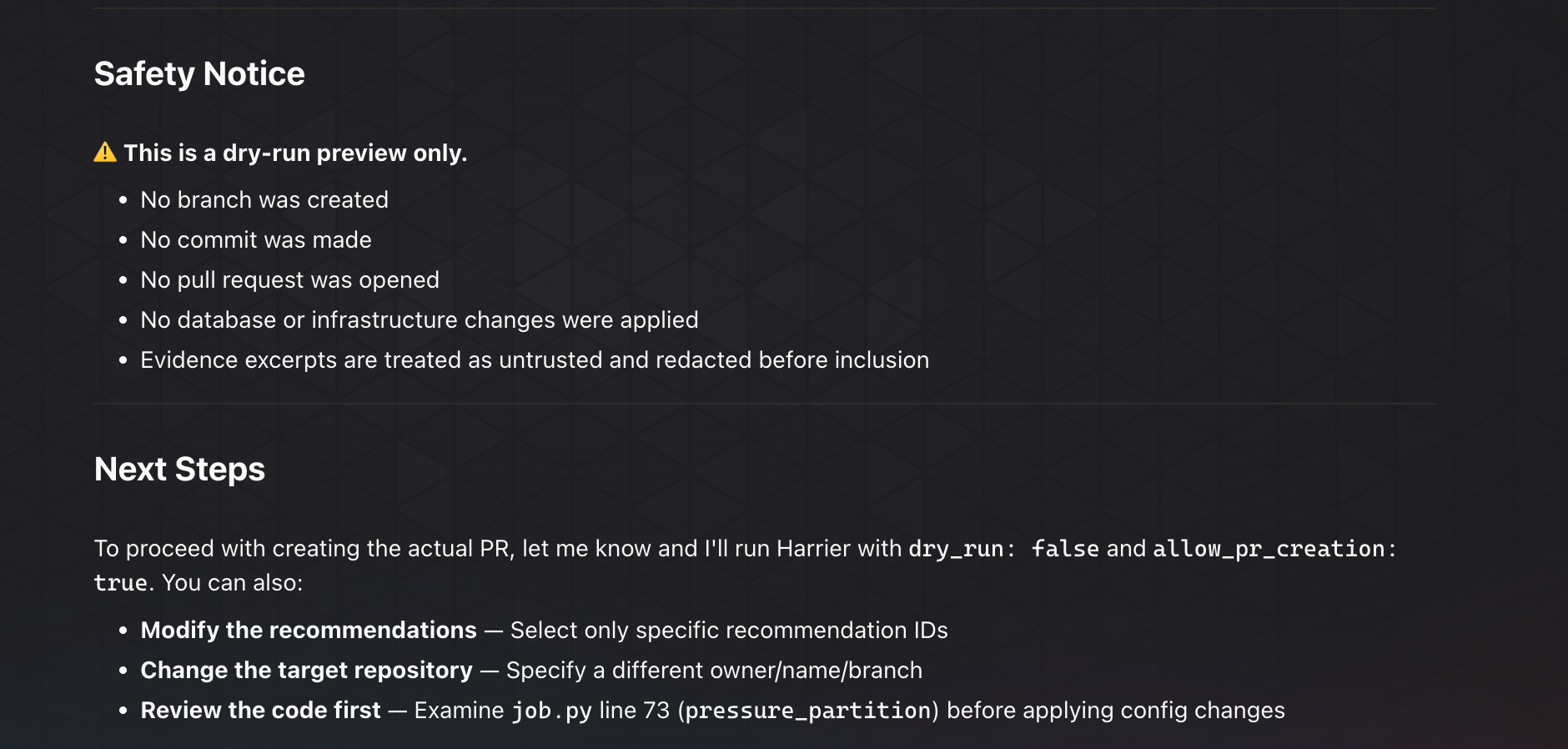
Safety Notice
The preview ends by stating what Harrier did not do. This keeps advisory output separate from actual production mutation.
Examples
Design Principles
- Put the likely investigation area at the top.
- Use pass, issue, not checked, and inconclusive language consistently.
- Keep log excerpts visually distinct from explanation text.
- Show why a signal matters before recommending action.
- Preserve uncertainty when evidence is incomplete.